

SoftOrbits Photo Retoucher
FreeGet keys

Free giveaway CD keys for iTop Screen Recorder — copy a working key and activate in the Windows app.

Stay Updated
Join our Facebook group to get notified about new programs, CD keys, and website updates.
iTop Screen Recorder is a Windows all-in-one tool for capturing, editing, and enhancing video content. It combines screen/webcam/audio recording with built-in editing via Quick Editor (basic edits) and Advanced Editor (transitions, effects, music).
It also includes AI tools like:
Overall, it’s designed as a single workflow: record content, polish quality, then compress/export for sharing without switching between multiple apps.
27% community success · 15 reports
Giveaway CD keys for iTop Screen Recorder. Pick a working row, copy the key, and paste it wherever the app asks for your CD key. Listed keys are tagged through 6.5; the vendor ships 7.0 now — try newer rows first if activation fails.
Some keys expire within a week. Activate them before they expire!
Note: Once expired, the key won't activate and your software's pro version will stop working.
FA12C-21DBC-82752-8A54713DEC-39893-9EC55-9F1B669F1D-91CC1-B93A7-ADD46BEF46-3E7E3-8E36A-15AB64CA73-C1A48-816CC-27EB6| Key | Actions | |||||
|---|---|---|---|---|---|---|
FA12C-21DBC-82752-8A547 | limit | No reports | 7.0 | 2026-09-15 | 2027-02-03 | — |
13DEC-39893-9EC55-9F1B6 | active | No reports | 6.5 | 2026-06-30 | 2026-09-30 | |
69F1D-91CC1-B93A7-ADD46 | expired | No reports | 6.4 | 2026-03-27 | 2026-09-27 | — |
BEF46-3E7E3-8E36A-15AB6 | expired | No reports | 6.4 | 2026-03-10 | 2026-07-13 | — |
4CA73-C1A48-816CC-27EB6 | expired | No reports | 6.4 | 2026-01-15 | 2026-05-01 | — |
Keys listed here come from multiple legitimate sources — official vendor promos, partner or affiliate giveaways, and community-checked submissions. Each key may come from a different channel.
Free vs Official PRO
The free edition covers the basics. Official PRO unlocks the full feature set, with updates and support.
| Feature | Free | Official PRO |
|---|---|---|
| Recording length | Limited | Unlimited |
| Watermark | Yes | No watermark |
| Export quality | Up to 720p | Up to 4K / 60fps |
| Editing tools | Basic | Full editor + effects |
| Support | Standard | Priority |
Giveaway keys and activation steps for iTop Screen Recorder — unlock Pro features with a verified license from our list.
Use the download button above to get iTop Screen Recorder from the developer's official site (recommended for safe activation).
Launch iTop Screen Recorder and find “Enter a key”, “Already have a license”, or “Activate” in the menu or settings.
Copy a working key from the table on this page and paste it into the activation field in iTop Screen Recorder.
Download iTop Screen Recorder only from the official vendor or the link on this page — avoid repacked installers.
If a giveaway CD key fails, try another working key from the list.
Some programs need an internet connection to verify your license during activation.

iTop Screen Recorder offers a flexible way to record screen with audio and webcam, allowing you to capture full screen, part of screen, a window, etc., easily and quickly. Use drawing tools to annotate and highlight information during recording. A device recording mode helps you record iPhone/Android screen on PC while keeping high quality.

The free screen recorder allows creating lecture and presentation videos with a webcam. Remove, blur, or replace webcam background to reduce distraction and protect privacy. Turn on the auto-scroll teleprompter to record a video while reading a script like a pro. Further customize the webcam by flipping, rotating, adjusting size, position, and shape to make your recordings more professional.

iTop Screen Recorder supports capturing both internal and external audio. It can not only save streaming music from YouTube, Spotify, etc., with no quality loss, but also record your singing or reading through a microphone.
An AI voice changer automatically changes your voice with 10+ filters, like robotic, minions, young female, and more, for audiobooks or podcasts. And, the denoiser can remove background noise/microphone echo, ensuring clear sounds for recordings.
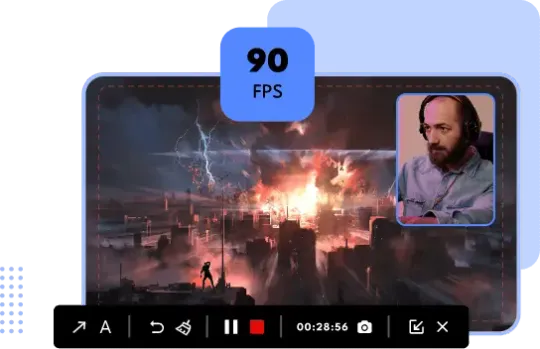
iTop Screen Recorder delivers the smoothest experience to record yourself playing video games on PC. Leveraging the hardware acceleration of NVIDIA, AMD, and Intel, the free screen recorder captures game clips at 4K, 1080p, and FPS games with no lag or dropped frames.
Know of other free CD keys for this or any other software? Share them with the community and help others unlock premium features!
Help keep our database accurate by reporting keys that are expired, reached their limit, or are still working perfectly.
iTop Screen Recorder is a 100% trusted Windows screen recorder. As taking customer data and information security seriously, we have implemented reasonable technical and organizational measures to ensure no malware or hacking issues. So, you can use iTop Screen Recorder with no worry about safety.
iTop Screen Recorder is an easy-to-use free screen recorder for Windows PC. You can record computer screen with audio and yourself in a few clicks. It also offers an array of editing tools helping you quickly edit the recording for quick sharing. And multiple output format options can eliminate incompatibility issues.
iTop Screen Recorder supports 13 output formats for video and audio recordings as well as 5 formats for screenshots.
Video: MP4, AVI, FLV, MKV, MOV, TS, WEBM, GIF Audio: MP3, AAC, AC3, FLAC, WMAV2 Screenshot: JPG, PNG, WEBP, BMP, TIF
Yes. iTop Screen Recorder adds a device recording feature which enables you to cast iOS/Android screen to PC through a USB cable and capture every activity on the device screen. Using it, you can screen record mobile apps and games effortlessly.
iTop Screen Recorder is a free screen recorder with no time limit. You can record a tutorial video, a Zoom meeting, a streaming video and more as long as you want.
Recording screen and webcam simultaneously are primarily for instructional purposes, tutorials, and presentations. iTop Screen Recorder allows you to capture webcam and screen at the same time hassle-free. You can easily make a recording with webcam overlay with this screen recorder.
Absolutely! It employs the Game Mode to help you quickly access playing games and capture gameplay on PC. Thanks to hardware acceleration and low-CPU usage, it can record game clips with no lag and no FPS drop.
iTop Screen Recorder builds in Quick Editor and Advanced Editor to help you edit recording and videos for free. Quick Editor is used to make basic and easy video editing, like cutting/trimming while Advanced Editor provides powerful audio and video effects. Both video editors are free to use.
Please check the audio input in the screen recorder. To record system sound only, please ensure that there is no headset connection to record system sound only. To record external audio, please ensure that the microphone device has been connected and turn on microphone option during recording.
iTop does not advocate recording any copyrighted content from all platforms using their screen recorder for commercial and illegal use unless you obtain the authorization first.
Discover more premium software with free CD keys
Ask questions, share activation tips, or report how keys worked for iTop Screen Recorder. No account required.
No comments yet. Be the first to share activation tips or feedback.


